
Story
Pacman Nebula in HOO and SHO
Understanding the HOO and SHO palettes via the Pacman Nebula
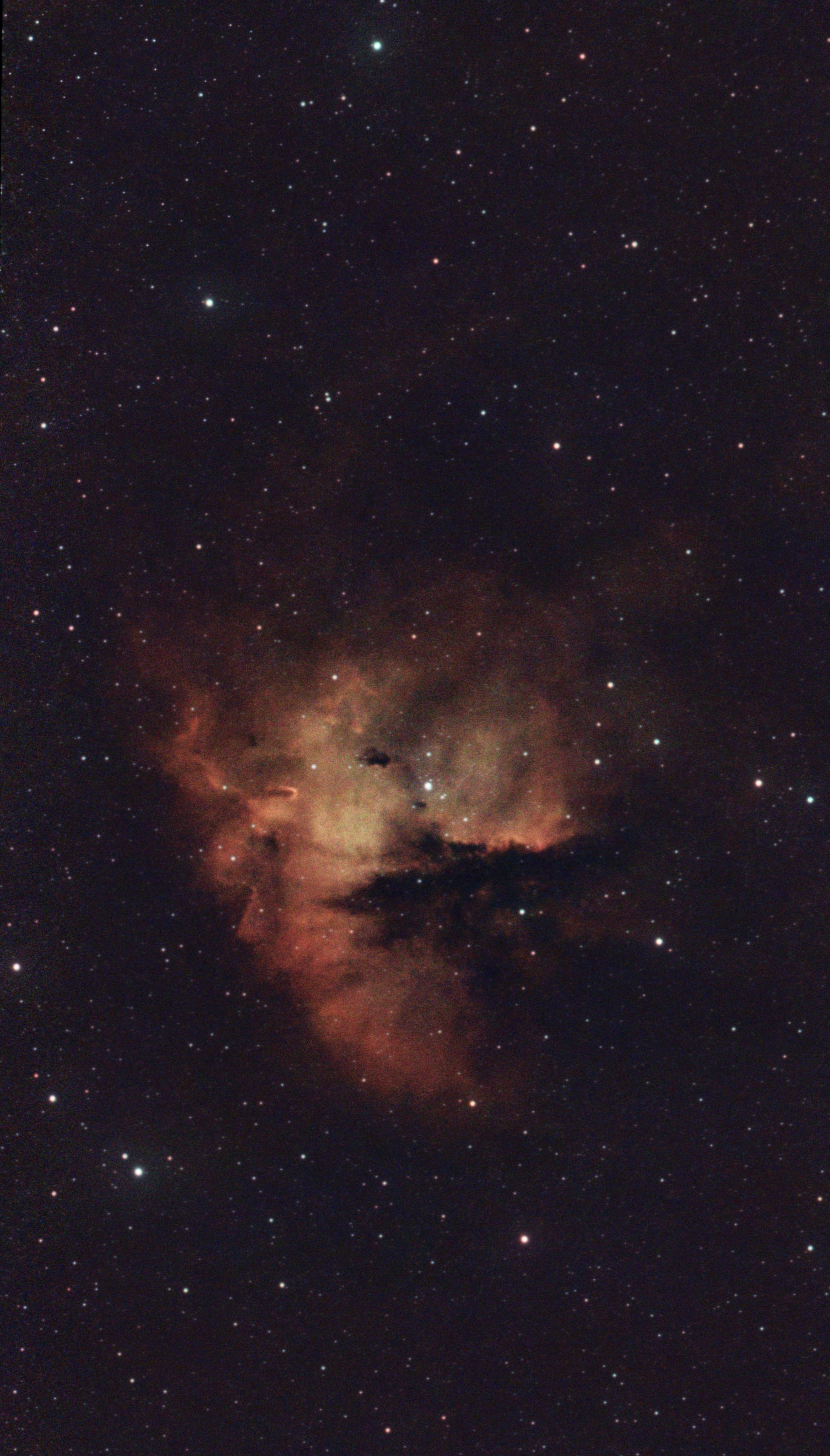
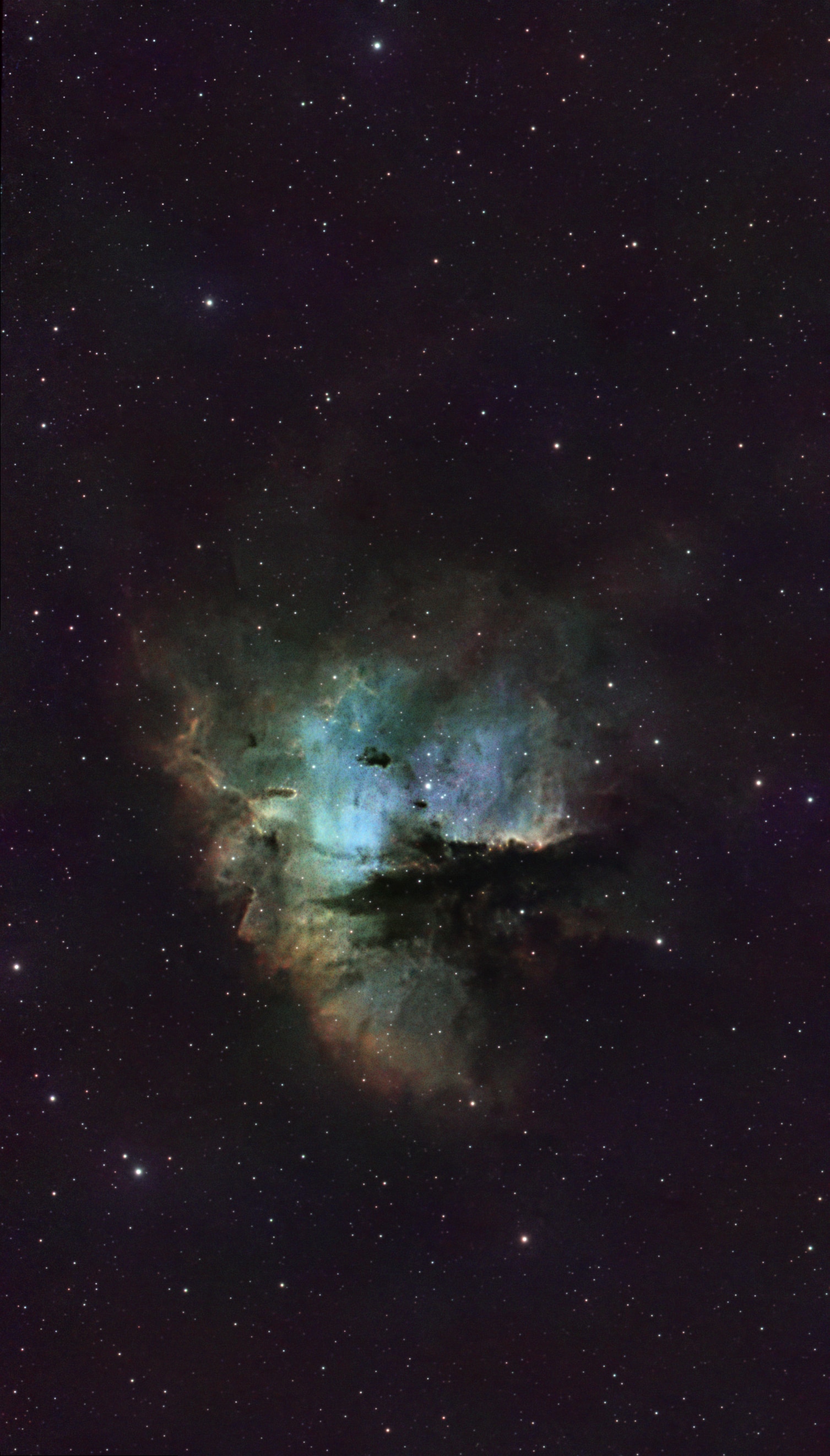
Pacman Nebula in HOO and SHO Palettes
This is the Pacman Nebula (NGC 281), shown in both HOO and SHO palettes. The HOO image is processed from 3.5 hours of Optolong L-eXtreme dual-narrowband HA/OIII data, and the SHO image adds 4 hours of SII/OIII data captured with the SVBONY SV220.
This isn’t just an aesthetic difference; the additional color and texture in the SHO image reveal more information about the star formation processes happening across this huge region of space.
This is what Capture Studio in AstroGuide was built for. The HOO image is great on its own, and it’s close to what we can capture when we “point and shoot” our Seestars at NGC 281. Capture Studio helped me understand that there was more to see and learn from this subject by adding additional channel data.
Those extra hours didn’t just produce a different color palette; they revealed subtle structures and relationships within the nebula that I never would have seen with just the HOO data.
That’s exactly the kind of question I’m building AstroGuide to answer: not just what to image, but how to get the most out of it.
Stacking and Cleanup Process
All stacking and post processing was done in Siril, often using the Workflow Companion script produced by DeepSpaceAstro.
- Stacking
- Tower stacking: I started by stacking the L-eXtreme and SV220 data separately. I had 3 sessions of LX and 4 sessions of SV, each around 30-90 minutes. Each session was stacked using the Naztronomy scripts, with 1.5x/.8 drizzle, stars/BG rejection filters, and noise-weighted stacking.
- Cleanup: Each individual session was then cropped, background removed, and color corrected with SPCC.
- Masters: The sessions for each filter were then stacked together; the SV and LX sessions were stacked into SV and LX masters.
- Standardization: I created a sequence with the 2 masters, then plate-solved and registered the sequence so the masters would be aligned.
- Sequence operations: I could then perform “batch” operations on the masters together:
- Deconvolution/aberration removal
- Background removal
- SPCC
- StarNet star removal
- SCUNet denoise
- SHO construction: At this point, I had 2 properly aligned and cleaned masters from LX and SV.
- Extract channels
- Pull HA (red), OIII (blue + green), and luminance from starless LX
- Pull SII (red) and OIII (blue + green) from starless SV
- PixelMath
- Enhance SII: SII becomes a 9:1 blend of the red channels from SV and LX, subtracting a portion of the LX green channel.
- Soften HA: The HA from LX is very dominant, so I soften it by subtracting SV channels.
- Aggregate OIII: Combine the OIII from both B and G channels from SV and LX.
- RGB recombination
- Combine SII, HA, and OIII channels with the luminance layer
- Extract channels
- HOO/SHO finishing
- For both the recombined SHO image and the HOO image (starless from LX), I performed basic post-processing:
- Statistical stretch
- Additional tweaks with SCUNet denoise
- Starless color grading with VeraLux Curves/Vectra
- Star recombination
- Cosmic Clarity sharpen
- Final grading tweaks
- For both the recombined SHO image and the HOO image (starless from LX), I performed basic post-processing:
Comparison
Pacman Nebula
Drag between HOO and SHO processing variants.